FROM THE FAMILY BINDER KIT
Password Log: How to Write Hints, Not Passwords, So Your Family Can Still Get In
A paper log your family can use if they ever need to, that is still safe if someone else finds it: no passwords, no PINs, no full numbers.
Start tonight, free: the Password & Accounts Log is one of the ten pages in our free Home Binder Starter. Get the starter ›
Most password books are exactly that: a book full of passwords. That's convenient, and it's a risk. Anyone who picks it up can get into your bank.
Our pages work on a different rule, and it is printed at the top of the log: Write a hint, not the password. Below is how that works, column by column, with the page from our free starter and the account pages from the Digital Life section of the Family Binder Kit.
Our rule: hints only, and last 4 digits only
Every page in the binder that touches an account follows the same two rules. Passwords, PINs and passcodes are never written down. And account and card numbers are written as the last 4 digits only. The money pages print it word for word: Write only the last 4 digits of any account or card number, never a full number, PIN or password.
That way the binder can sit on a shelf, and the person you trust can still use it. They will know which accounts exist, which email each one uses and where the recovery code goes. And they'll have a hint that only makes sense to you or to them.
Passwords & Accounts
The Password & Accounts Log, column by column
Under the rule, the page says how: Use a clue only you would understand. It ends with Store this page somewhere private. Then five columns:
Account or website
The bank, the email, Medicare, the electric company, the pharmacy app. Start with the accounts that pay bills.
Username or email
Often the same email for everything. Write it once and "same email" after.
Password hint
A clue, never the password. "First car + year we met" works if only you and your daughter know the car.
Recovery phone or email
Where the reset code goes. This is what actually gets your family in: the code arrives on a phone they can find.
Notes
"Pays the bills", "autopay, Visa 4417", "Amy is the legacy contact".

How to write a hint that works
- Point to a memory, not a fact. "Grandma's garden word" is a hint. Your dog's name, which is on your Facebook page, is not.
- Use the same pattern everywhere. If your passwords follow a pattern, write the pattern's clue once and note "same as bank" on the others.
- Say who could decode it. "Ask David" is a fine hint for a shared streaming account.
- Use a password manager if you have one. Then list the accounts, and note where the manager's recovery details are kept. The page suggests exactly that.
FREE · 10 PRINTABLE PAGES
Get the free Home Binder Starter
Ten pages to start the binder tonight: Emergency Contacts, Household at a Glance, the Medical One-Pager, a document inventory, a bills tracker, a password log and more. Sent to your inbox.
What your family actually needs
When someone has to step in, they rarely need every password. They need to know which accounts exist, which ones pay bills, and how to reset access. Most resets send a code to a phone or an email. If your family can find that phone and knows who to ask, they can get in the right way, through the company's own process.
That's why the recovery column matters more than the hint column. Make sure the recovery phone number on each account is one that will still be in the family, and that someone knows how to unlock that phone.
Where to keep the log
With the rest of the binder, somewhere private at home, and not in the car or a work bag. Tell one person where it is. If you move the binder, tell them again.
What not to write on any page
- Passwords and PINs. Not even "just the bank one". A hint does the same job.
- Full account or card numbers. The last 4 digits identify the account. The rest belongs on the statement.
- Security answers. Your mother's maiden name is a key, not a hint.
- Access keys and recovery codes. Keep them with your estate documents or in a password manager, not in the log.
Digital Life
What Happens to My Accounts
Hints help while you can answer questions. For later, the big services have their own tools, and this kit page walks through them: Set this up now, before anyone needs it. Write down who is in charge, never a password.
Apple
Add a Legacy Contact. The page gives the path in Settings and explains what the contact can and can't reach.
Google
Set up Inactive Account Manager and Choose up to 10 people to get your data. The page also notes: Google may delete an account that has been inactive across Google for at least two years.
Facebook
Choose a legacy contact to look after your profile if it is memorialized.
What my family should know
A table of Service, Set up?, Contact's name and Where the instructions are kept. The bottom of the page repeats the rule: Never write a password, PIN or access key on this page.

Phones and computers
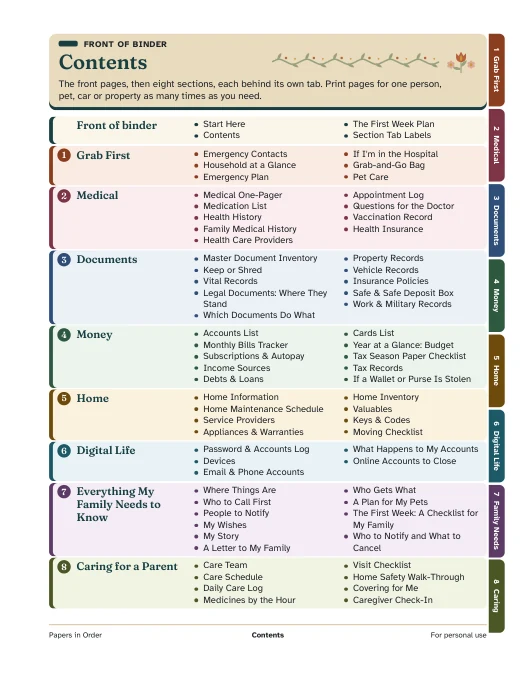
The kit's Devices page uses the same rule for passcodes: Never write a passcode here, then Write who knows how to unlock each device instead. With it, the Email & Phone Accounts and Online Accounts to Close pages make up the Digital Life section of the Family Binder Kit. The log itself is free in the starter, so you can start with that tonight.